






FieldInsight Feature Release — Week 4 2026

Purchase Orders — Hide Markup % and Sales Price
What’s new
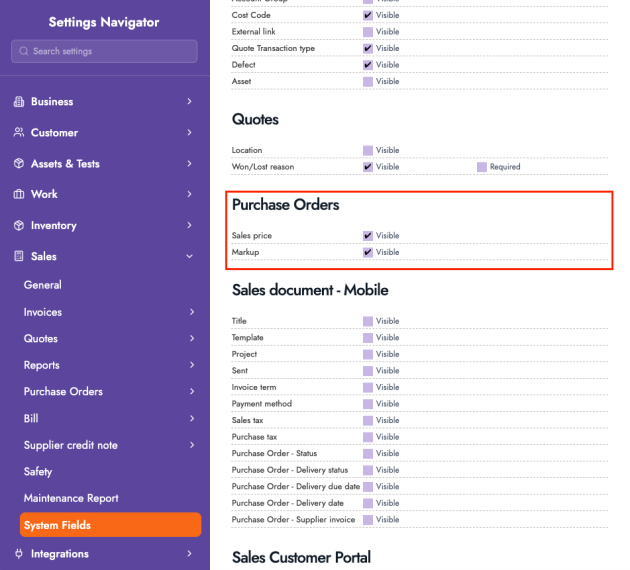
You can now hide Markup % and Sales Price on Purchase Orders to keep your PO workflow focused on costs. These fields are now managed in a dedicated PO area under your settings (so you can keep them visible if your process relies on them, or switch them off if you don’t).
Why it helps
Reduces clutter on PO item entry, speeds up purchasing workflows, and avoids confusion for users who don’t need sales-focused fields when raising supplier orders.
Timesheets — Cost Code Clears When Project (or Job) Changes
What’s new
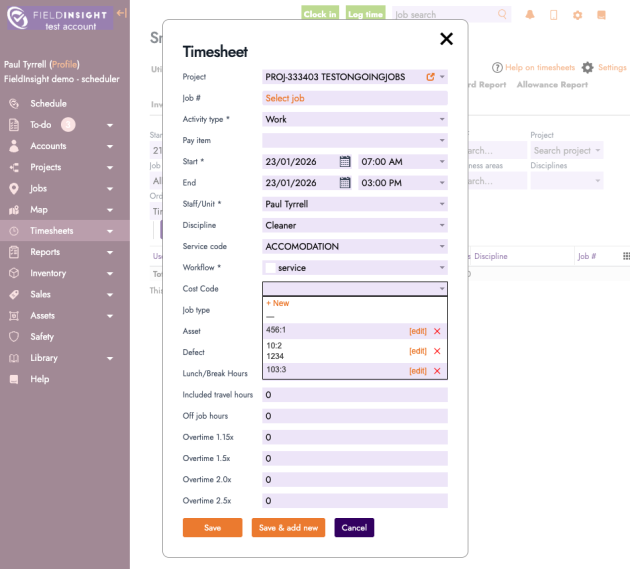
When updating a Timesheet entry, if you change the Project (or change the Job), FieldInsight will now automatically clear the Cost Code. This ensures the next Cost Code selected is valid for the new Project/Job context.
Why it helps
Prevents accidental mis-coding when a user changes the Project/Job after already selecting a Cost Code. It also ensures Cost Codes shown are relevant to the selected Project, improving accuracy for reporting and project tracking.
- Cost Code resets automatically when Project/Job changes
- Cost Code list updates to show only valid options for the newly selected Project
- Applies to both desktop and mobile
Imports — Drag & Drop File Upload (Including Multiple Files)
What’s new
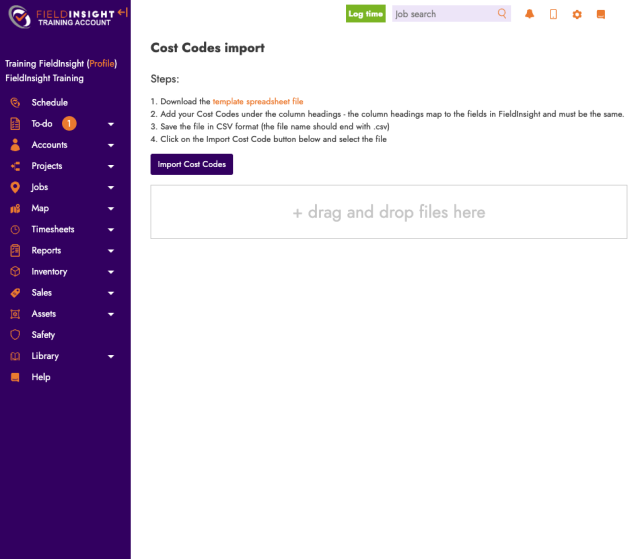
Import pages now support a drag and drop upload area. Instead of browsing for a file each time, you can drop files directly onto the import screen. This also supports multiple files where applicable.
Why it helps
Makes importing faster and more user-friendly—especially when you’re handling multiple imports in one session (e.g., bulk updates via CSV).
Settings — New & Improved Settings Search
What’s new
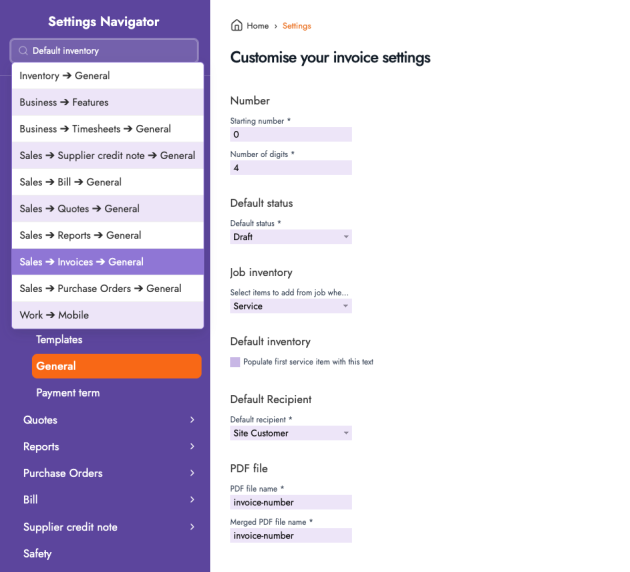
We’ve improved the Settings search so admins can search by keywords and quickly jump to the right Settings page. Simply type a word or phrase (e.g., “invoices”, “customer portal”, “business details”) and select the relevant result to navigate there.
Why it helps
Saves time hunting through Settings menus—especially for larger configurations and newer admins who aren’t yet familiar with where everything lives.
Customer Portal — Invoice List Now Filters by Payment Status
What’s new
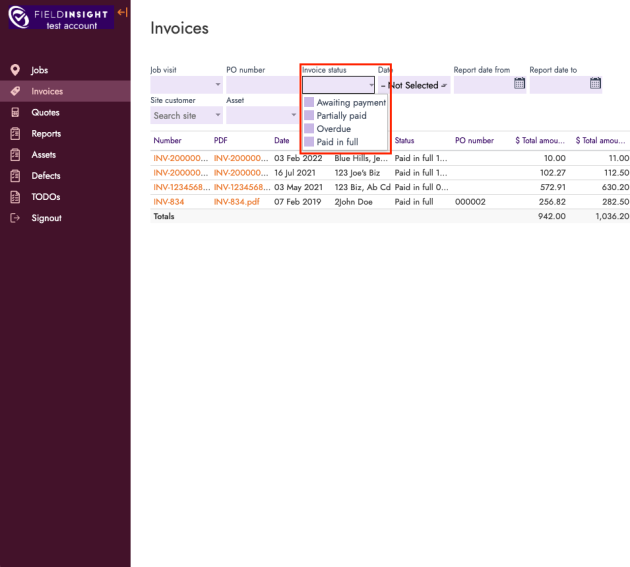
In the Customer Portal, the invoices list now only shows invoices with these statuses:
- Awaiting Payment
- Partially Paid
- Overdue
- Fully Paid
Why it helps
Keeps the Customer Portal invoice view cleaner and more relevant for customers—so they only see invoices that matter for payment and record-keeping, without extra noise from other internal invoice states.
What You Should Do Now
- Book a Demo. You’ll be in touch with an automation expert who has worked in this space for over 5 years, and knows the optimal workflow to address your needs.
- If you’d like access to free articles about managing HVAC workflows, go to our blog.
- If you know someone who’d enjoy reading this page, share it with them via email, Linkedin, Twitter, or Facebook.
