






FieldInsight Feature Update — Week 3 December 2025

Christmas Closure — Support Availability
FieldInsight will be closed from 19th December to 12th January. Limited support will remain available via chat during this period, with a 2-hour response time. Full support operations resume after the holiday period.
This is the last week before we move to limited holiday support. If you have anything urgent, please lodge it as early as possible so we can triage and action it before the closure period begins on 19th December.
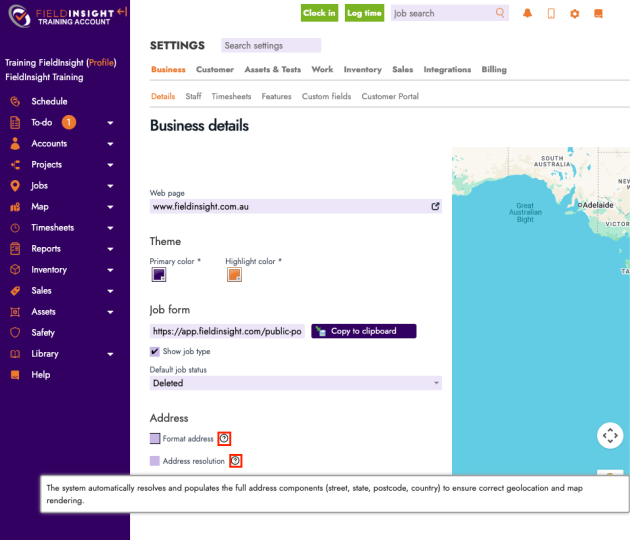
Addresses — Info Icon for Format Address & Address Resolution
What’s new
An info icon has been added next to Format Address and Address Resolution, providing quick guidance on what each option does.
Why it helps
Reduces confusion when configuring address behaviour and helps admins choose the right setting with confidence.
Tests — Allow Resizing of the Test Result Column
What’s new
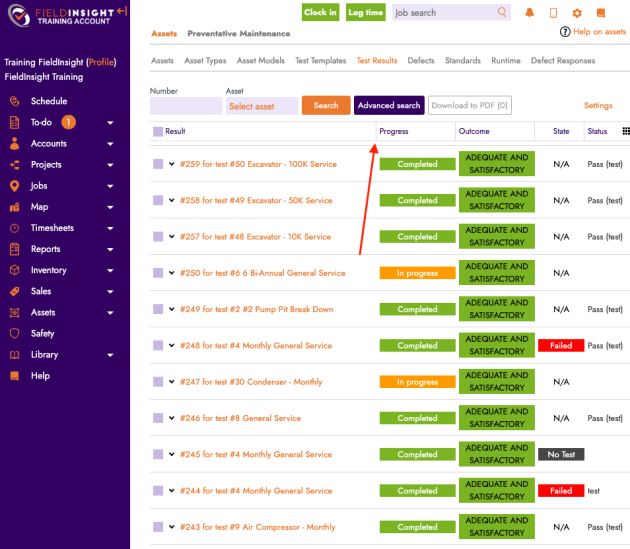
In the Test Results list, the first column (Result) can now be resized.
Why it helps
Makes it easier to read longer result values and tailor the list layout to your workflow.
Mobile — Job Status Bar Updated to a Rounded Button
What’s new
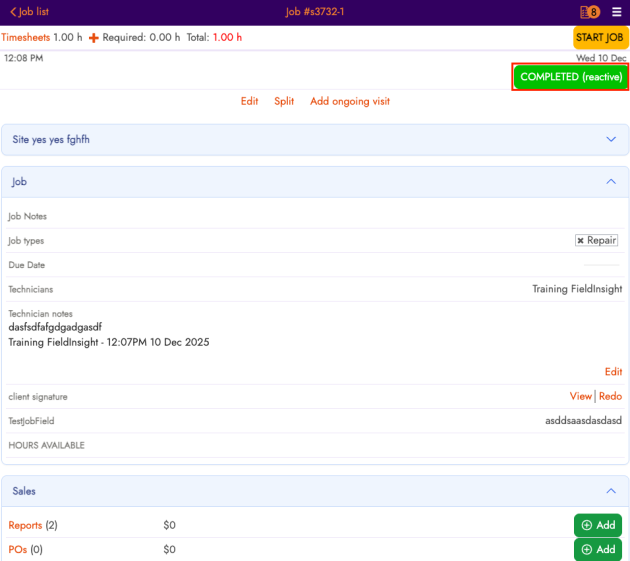
The job status control on mobile has been updated from a full-width status bar to a rounded button, matching the style of our + Add action. This is part of an ongoing update of the user interface for cleaner lines and clearer action buttons.
Why it helps
Creates a cleaner mobile layout and makes key actions more visually consistent across the app. (This is a UI change—status functionality remains the same.)
Jobs — Workflow Field Width Increased on the Job Navigator Page
What’s new
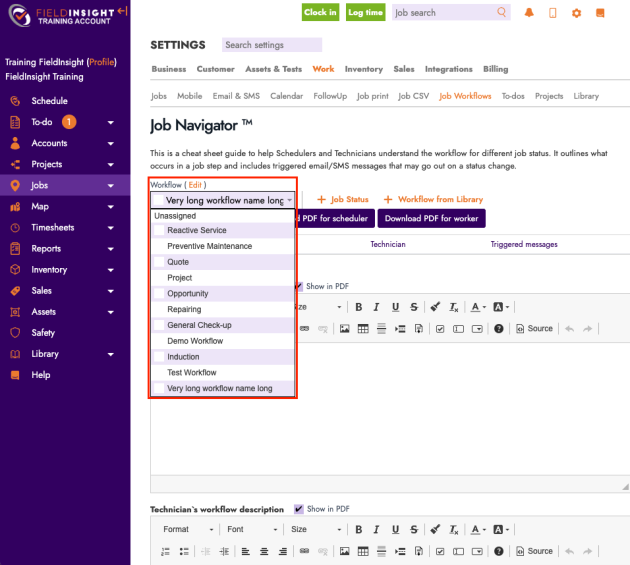
The Workflow field on the Job Navigator page has been widened to better accommodate longer workflow names.
Why it helps
Improves readability and reduces truncation, especially for teams with detailed workflow naming conventions.
Claims — Contract Summary Section Added/Improved
Part of our New Project Management Enhancements – What’s new
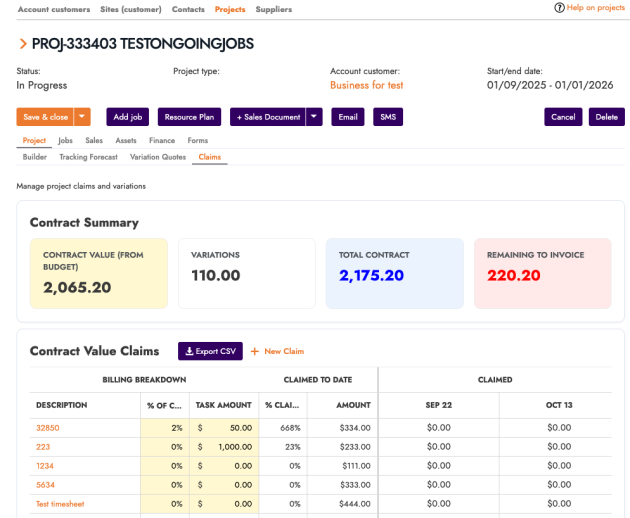
A clearer Contract Summary section is now available in Claims, showing key contract totals and calculations:
– Contract Value pulls from the Finance Budget amount
– Variations totals from quote subtotals
– Total Contract = Contract Value + Variations
– Remaining to Invoice = Contract Value − Invoiced Amount
Why it helps
Gives fast visibility into contract position and remaining billable value without manual calculations.
Note: If you are interested in this module please reach out to the team for an overview. For some older subscription plans the Project Management module is a paid Add-on.
Cost Codes — UI Redesign
Part of our New Project Management Enhancements – What’s new
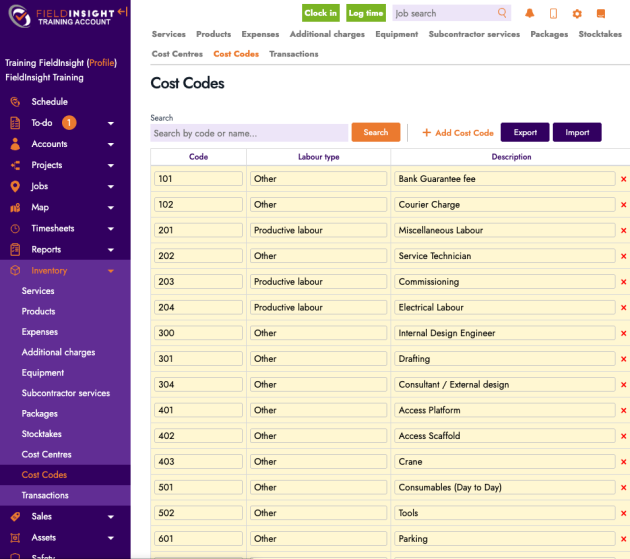
Cost Code selection and display has been refreshed with an updated layout and improved presentation (including clearer item descriptions and a more usable “product-style” view where applicable).
Why it helps
Makes Cost Codes easier to browse, select, and validate—especially for teams working with large Cost Code lists.
Note: If you are interested in this module please reach out to the team for an overview. For some older subscription plans the Project Management module is a paid Add-on.
Budget Tracking Forecast — UI Improvements
Part of our New Project Management Enhancements – What’s new
The Budget Tracking Forecast experience has been improved with:
– Updated icons and clearer in-product guidance
– Help text now includes formulas and data sources for forecast columns
– The first two columns are now sticky for easier horizontal scrolling
Why it helps
Improves clarity and usability when reviewing forecasts—less guesswork, fewer misreads, and easier navigation across wide tables.
Note: If you are interested in this module please reach out to the team for an overview. For some older subscription plans the Project Management module is a paid Add-on.

PM — Top Level Navigation Redesign
What’s new
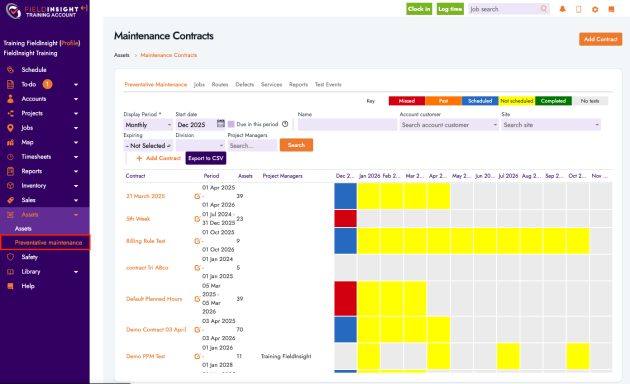
Preventative Maintenance (PM) navigation has been redesigned to a top-level structure with clearer navigation controls and support.
Why it helps
Makes PM areas easier to find and move between, reducing clicks and improving orientation within the module.
Mobile Timesheets — Ability to Add a File Attachment
What’s new
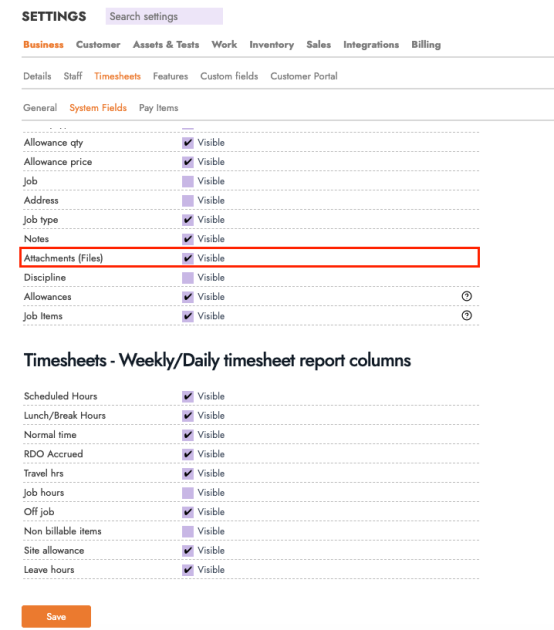
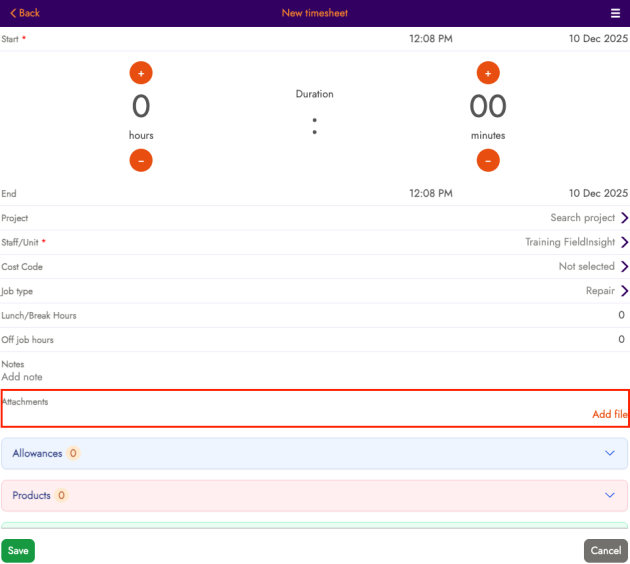
You can now add a file attachment to Mobile Timesheet entries.
Why it helps
Supports stronger timesheet evidence and admin approval flows (e.g., photos, dockets, supporting documents) when technicians submit time on the go.
Jobs — “Export Status” Filter Added to the All Visits Tab
What’s new
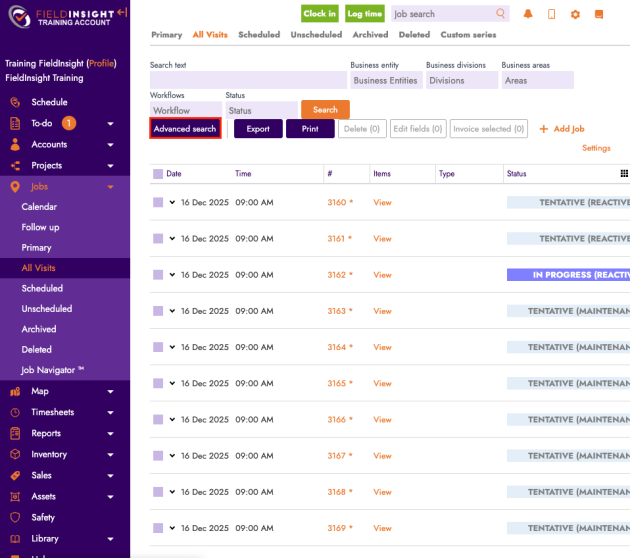
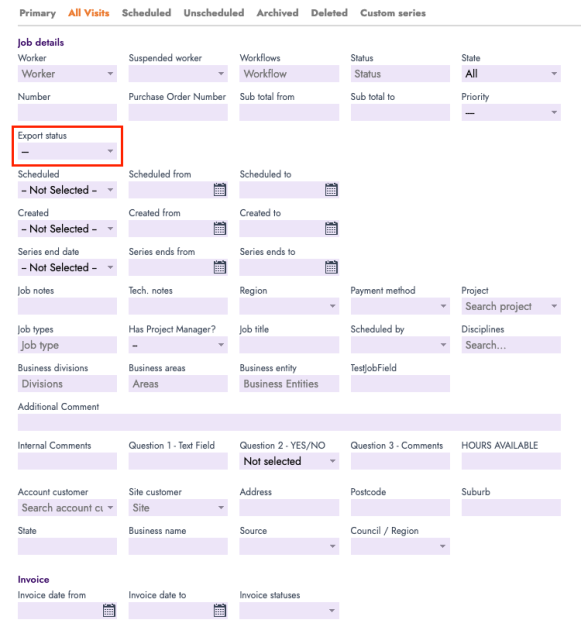
A new Export Status filter has been added to Advanced Search on the Job > All Visits tab.
Why it helps
Makes it easier to track which visits have (or haven’t) been exported, reducing reconciliation time.
Jobs — Project Manager Filter Added to Advanced Search
What’s new
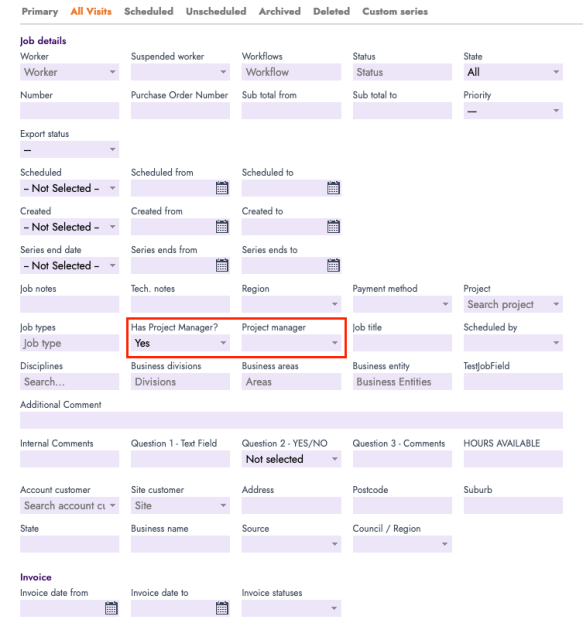
In Job Advanced Search, you can now filter by Project Manager.
When you select Has Project Manager = Yes, the Project Manager selector will appear so you can choose a specific manager and view jobs related to them.
Why it helps
Makes it quick to segment job lists by ownership—ideal for larger teams managing multiple project leads.
Emails — Service Email Address + Use as Sender for Job Triggered Emails
What’s new
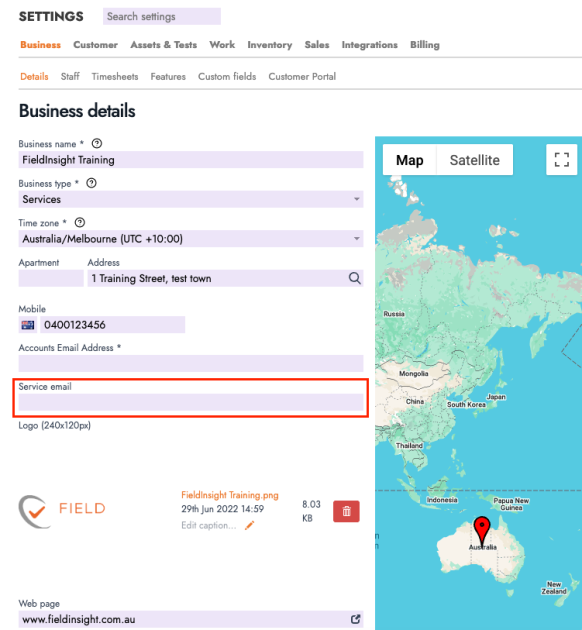
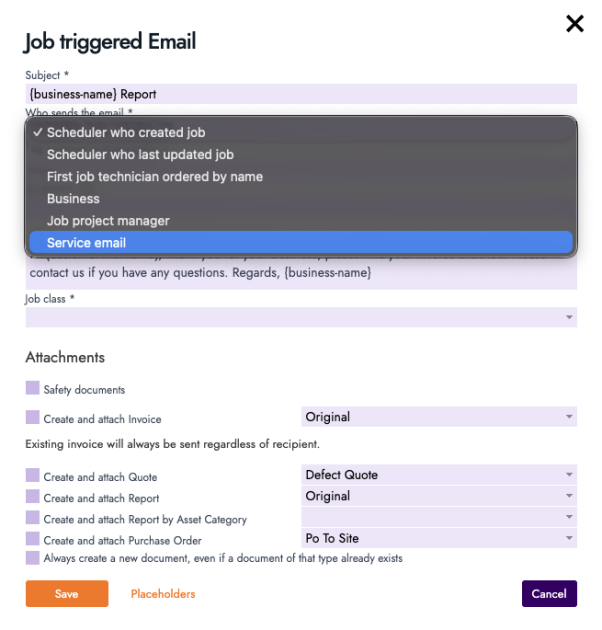
You can now define a Service Email Address in Business Details and select it as the sender for Job Triggered Emails.
Why it helps
Keeps automated job communications consistent (and out of personal inboxes), improving deliverability and customer recognition of service emails.
Timesheets — Public Holiday Time Can Be Logged as Normal Hours
What’s new
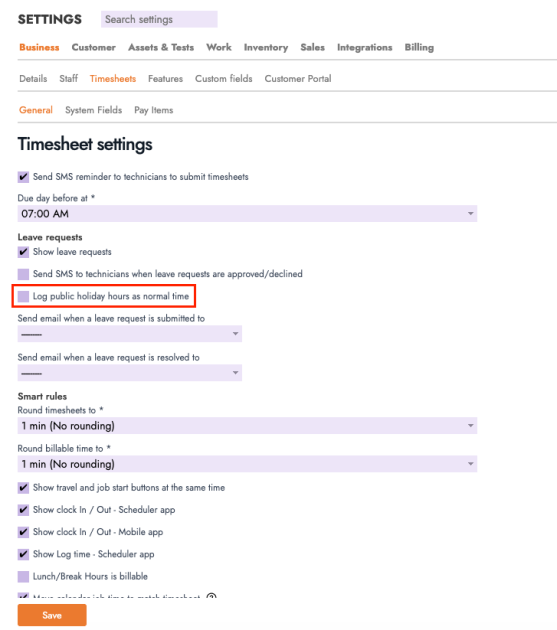
A new timesheet setting has been introduced: Log public holiday hours as normal time. When enabled, approved Public Holiday entries will be recorded under Normal Hours.
Why it helps
Provides more flexible payroll alignment for businesses that treat public holiday time as standard hours rather than a separate leave-style bucket.
What You Should Do Now
- Book a Demo. You’ll be in touch with an automation expert who has worked in this space for over 5 years, and knows the optimal workflow to address your needs.
- If you’d like access to free articles about managing HVAC workflows, go to our blog.
- If you know someone who’d enjoy reading this page, share it with them via email, Linkedin, Twitter, or Facebook.
