






FieldInsight Feature Update — Week 2 December 2025

Christmas Closure — Support Availability
FieldInsight will be closed from 19th December to 12th January. Limited support will remain available via chat during this period, with a 2-hour response time. Full support operations resume after the holiday period.
Scheduler — Day Row Height Control
What’s new
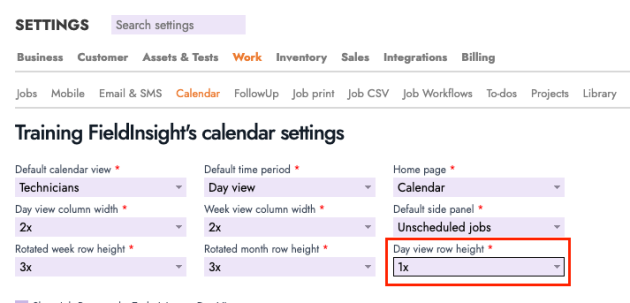
You can now control the height of rows in the Scheduler Day View from Calendar Settings. Choose from compact, standard, or expanded row heights depending on how much detail you want to display.
Why it helps
Gives planners more flexibility—tighten rows to see more technicians at once or expand them for easier readability during busy scheduling days.
Tests — Info Icon for “Value” Flag
What’s new
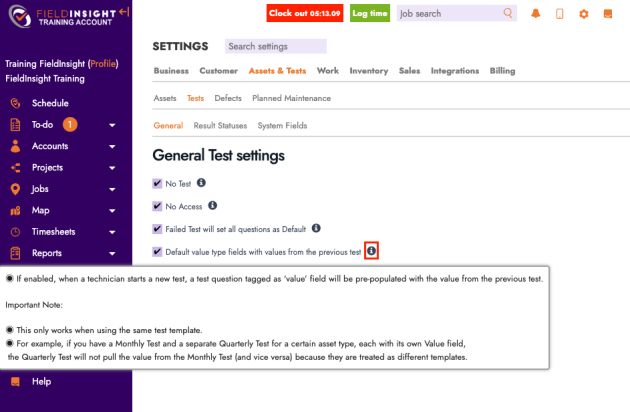
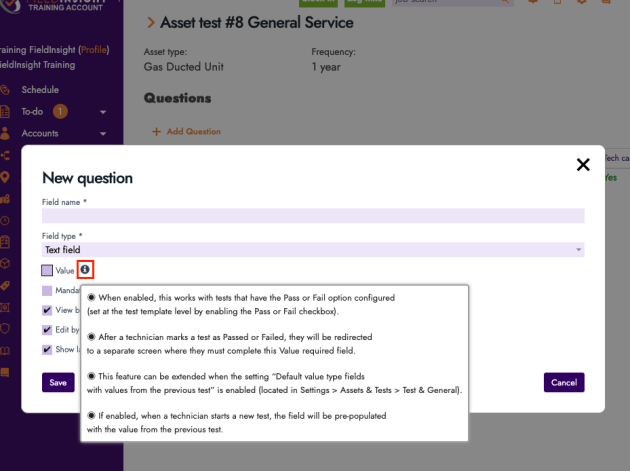
An info icon has been added next to the Value flag on test questions, clarifying what the flag means and how it affects test behaviour.
Why it helps
Improves clarity for admins configuring tests and reduces misinterpretation when setting up test templates.
Tests — Info Icon for “Link Defect Job to a Document”
What’s new
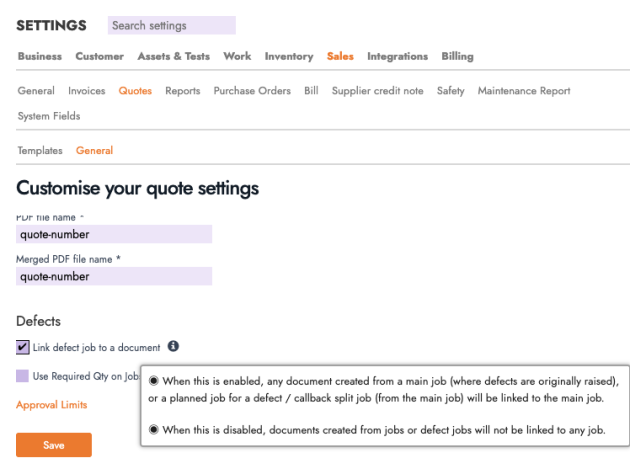
A new info icon has been added to the Link defect job to a document setting inside Sales → Quotes → General Settings, explaining how linked documents behave when defects are created.
Why it helps
Reduces confusion and helps teams configure defect workflows more confidently.
Scheduler — Scroll Added to Yellow Hover-Over Box
What’s new
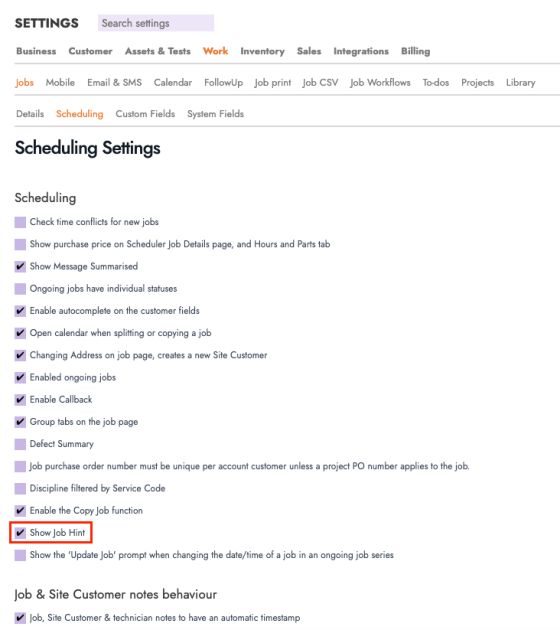
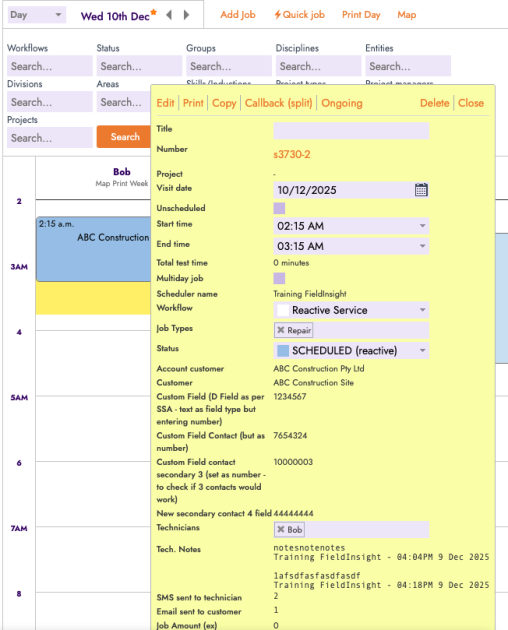
The yellow hover-over preview (Job Hint) now includes a scroll bar when content is longer than the visible area.
Why it helps
Ensures dispatchers can view full job information—such as notes, instructions, or customer details—without opening the job.
To-Do Lists — Simple Text Search
What’s new
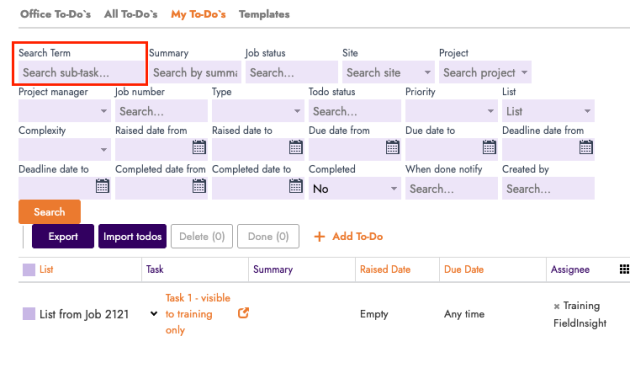
A new keyword search bar is now available in All To-Dos and My To-Dos, allowing searching by name, description, or summary.
Why it helps
Makes it much easier to find tasks in large shared lists and speeds up daily workflow navigation.
Quick Quote — “Edit Quote” Button
What’s new
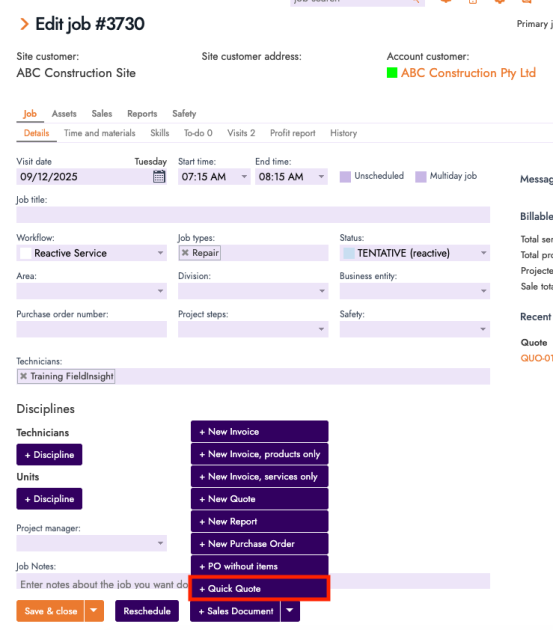
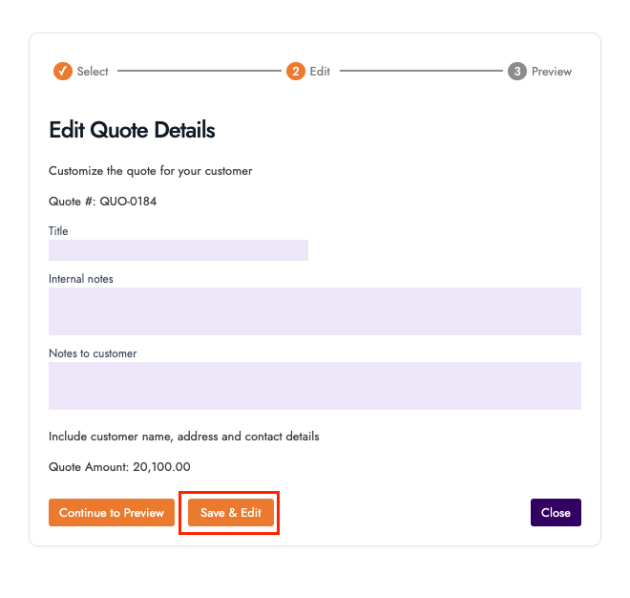
A new Save & Edit button has been added when creating a Quick Quote. After saving, it automatically opens the full Quote editor for refinement.
Why it helps
Saves time for teams who create quick quotes but immediately need to adjust pricing, descriptions, or line items.
For our API users.
Notice
We have contacted as many of you as we can so we are just including this notice here for anybody actively using our API that we have missed.
Its has come to our attention that the FiedInsight public API is not returning RFC preferred error codes when the presented bearer code has expired.
We would like to change this behaviour but since this may affect your existing code we will not do this until we have confirmed with all API users that their code will continue to work when we make the change.
At the moment if you present an expired bearer code we will return 403 for NOT_AUTHORIZED, but according to the RFC we should return 401.
This is the behaviour of the python library we use, and there are bug tickets against it for resolution of this issue too.
If your current code records the token expiry time and uses that to trigger a refresh then you won’t have to change anything.
If you current code does not check the error returned but blindly performs a token refresh on the error then you won’t be affected if we change the error code either.
If however you check for the specific error then you should alter your code to check for 403 or 401 so your code will continue to work both before and after we deploy this change.
We would like to deploy our fix early January as there are a number of users particularly of the n8n platform who are impacted at the moment since it does not perform the token refresh when we return 403, but we won’t do so until we have confirmation back from all users that they won’t be affected by the change.
What You Should Do Now
- Book a Demo. You’ll be in touch with an automation expert who has worked in this space for over 5 years, and knows the optimal workflow to address your needs.
- If you’d like access to free articles about managing HVAC workflows, go to our blog.
- If you know someone who’d enjoy reading this page, share it with them via email, Linkedin, Twitter, or Facebook.
