






FieldInsight Feature Update — Week 1 December 2025

Heads up — Project Management module sneak peek
What’s new
You’ll start to see new Project Management tabs, fields, and options in your account. These are early components of the upcoming Project Management module.
Why it helps
Gives you an early look at new project tools so you can start exploring how they might fit your workflows. Some areas are still under active development and may be refined over time.
Project Budget Builder (Early Access)
What’s new
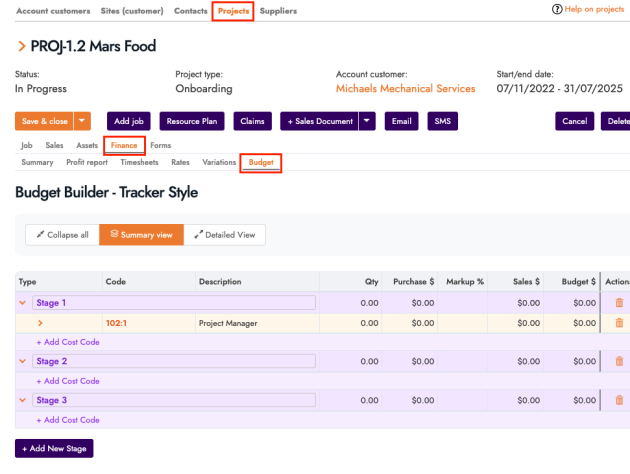
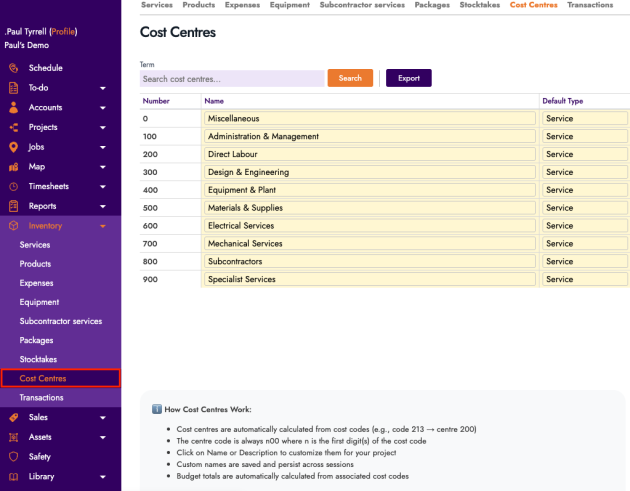
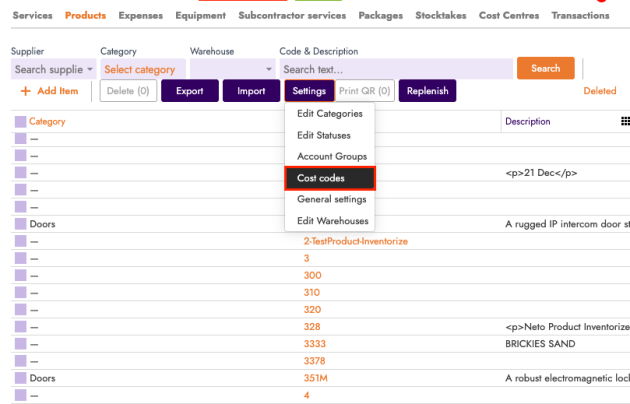
A new Project Budget tab is available under Project → Finance → Budget. You can build budgets using stages, cost codes, and line items based on inventory. Cost Codes and Cost Centres are configured in Settings and used inside the Budget Builder only (they are not yet linked to other areas of FieldInsight).
Why it helps
Lets you create structured internal project budgets and experiment with cost code and cost centre structures ahead of the full Project Management release.
Assets — Hide Barcode
What’s new
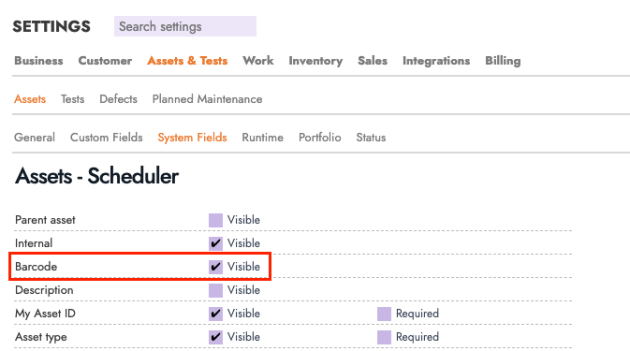
You can now hide barcode fields across the system, including for technicians. When disabled, barcode fields are removed from asset creation and edit screens.
Why it helps
Keeps forms clean for teams that don’t use barcodes, making asset entry faster and less confusing for office staff and technicians.
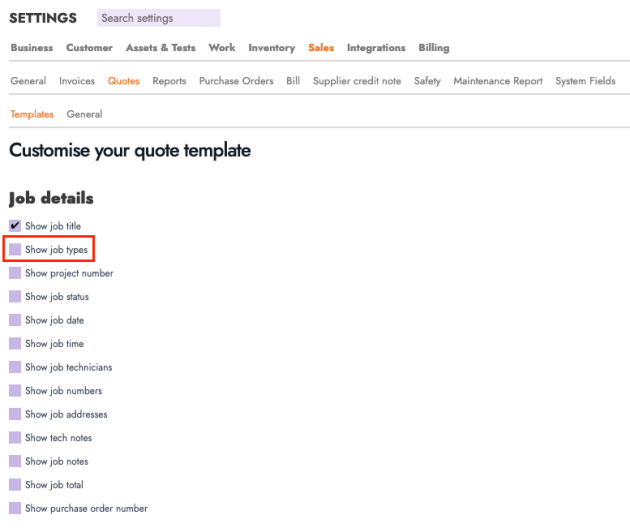
Sales Documents — Job Types
What’s new
Sales documents now have an option to include the related Job Type. When creating a sales document, you can choose to show the job type on that document.
Why it helps
Provides clearer context on what work the document relates to, improving communication with customers and internal teams.
Triggered Emails — Recipient Info Icon
What’s new
Job-triggered emails now include an info icon next to the Recipient field, explaining how recipients are selected when Account and Site contacts are involved.
Why it helps
Reduces confusion and helps ensure emails are sent to the correct contact.

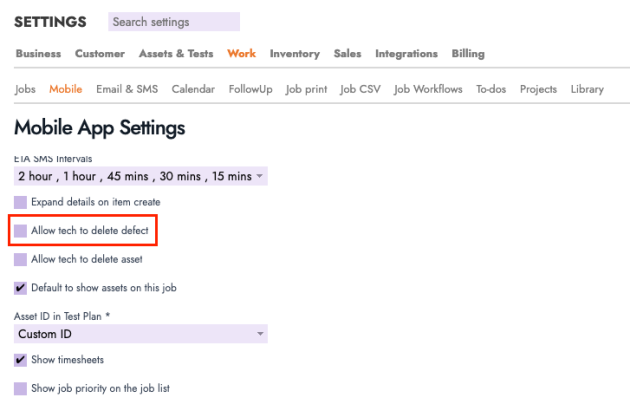
Mobile — Ability to Delete Defect
What’s new
Technicians can now delete a defect directly from the defect list on mobile using a Delete button.
Why it helps
Allows techs to quickly clean up mistakes or duplicate defects in the field, keeping records accurate.
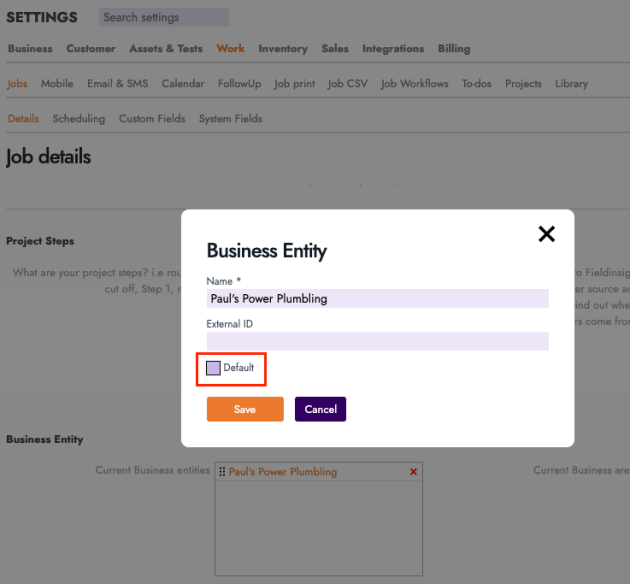
Business Entity — Uncheck Default
What’s new
The Default checkbox on a Business Entity can now be unchecked.
Why it helps
Gives you flexibility to change which entity is default as your business structure evolves.
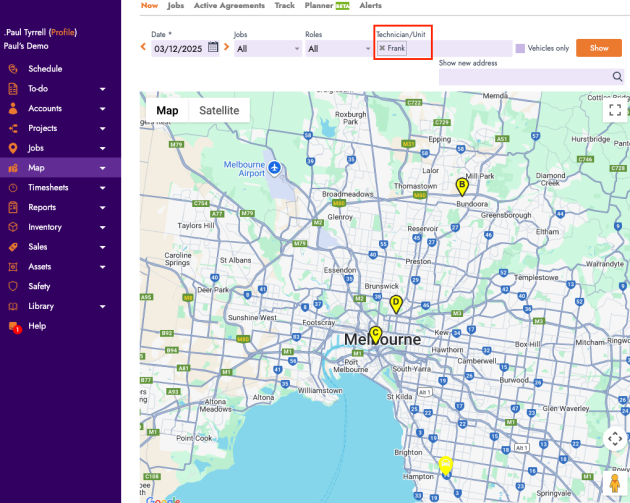
Scheduler Map — Path for Selected Technician
What’s new
In Map → Now, when you select a technician who shares jobs with others, the map now shows that technician’s own path in their colour with ordered markers (A, B, C, etc.) based on job time.
Why it helps
Makes it easy to see the exact route and job sequence for one technician, even on multi-tech jobs.
PM Contracts — Scope Field Redesign
What’s new
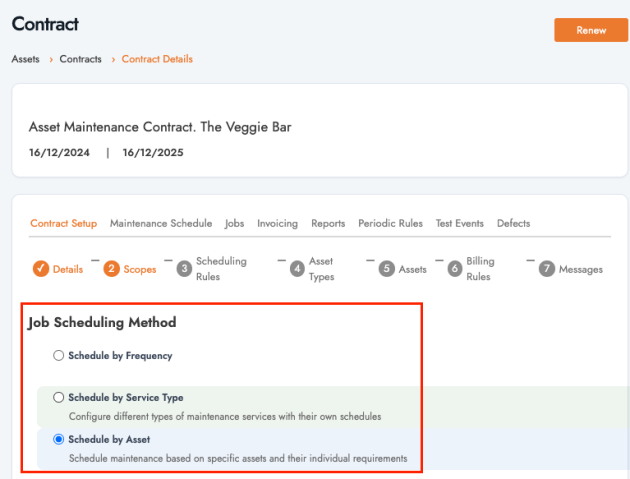
The Scope field in PM Contracts has been redesigned with clearer hover and selected states, plus inline help text.
Why it helps
Makes scopes easier to understand and configure, reducing misconfiguration in PM contracts.
PM Job Rules — Simple / Advanced Toggle
What’s new
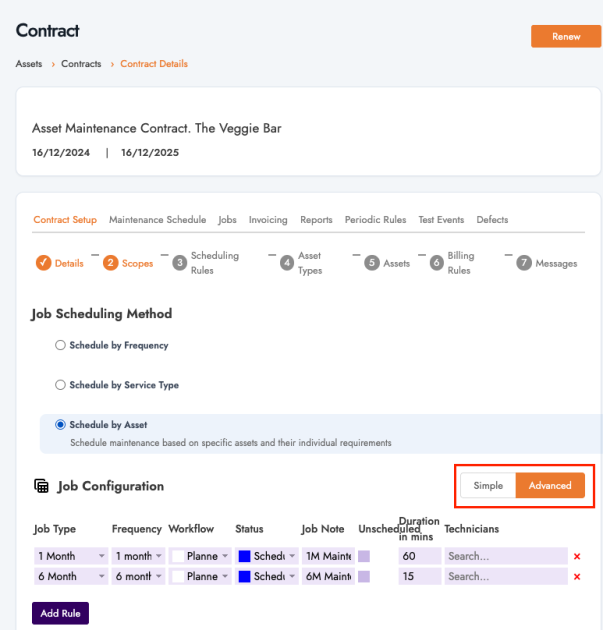
Job Rules now include a Simple / Advanced toggle. Simple mode hides advanced options; Advanced mode shows all fields such as detailed duration, schedule, and frequency.
Why it helps
Keeps setup straightforward for most users while still allowing detailed control when needed.
Assets — Serial Number in Advanced Search
What’s new
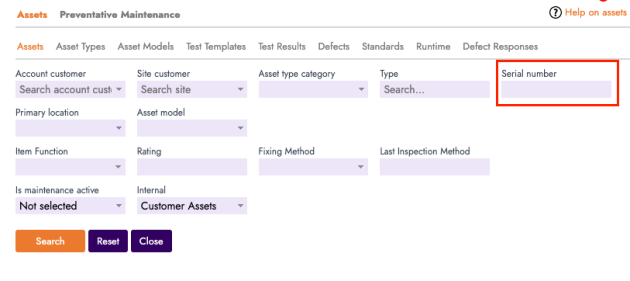
Serial Number is now available as a field in Advanced Search for assets.
Why it helps
Lets you quickly find a specific asset when you only have the serial number from the plate or label.
Assets — Serial Number on Test Results List
What’s new
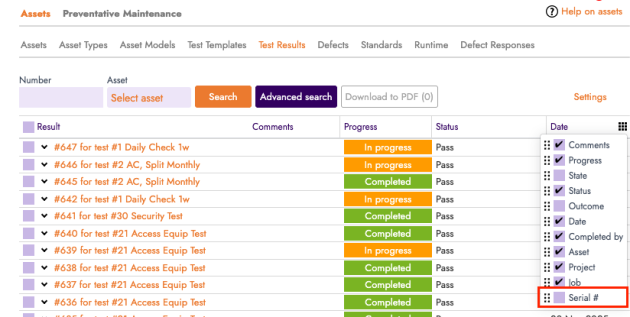
The Asset Test Results list page now includes an option to show Serial Number as a column.
Why it helps
Improves traceability by letting you see which exact asset each test result belongs to at a glance, without opening each record.
What You Should Do Now
- Book a Demo. You’ll be in touch with an automation expert who has worked in this space for over 5 years, and knows the optimal workflow to address your needs.
- If you’d like access to free articles about managing HVAC workflows, go to our blog.
- If you know someone who’d enjoy reading this page, share it with them via email, Linkedin, Twitter, or Facebook.
