






FieldInsight Feature Release — Week 7 2026

Timesheets — Separate Bucket for Sick Leave
What’s new
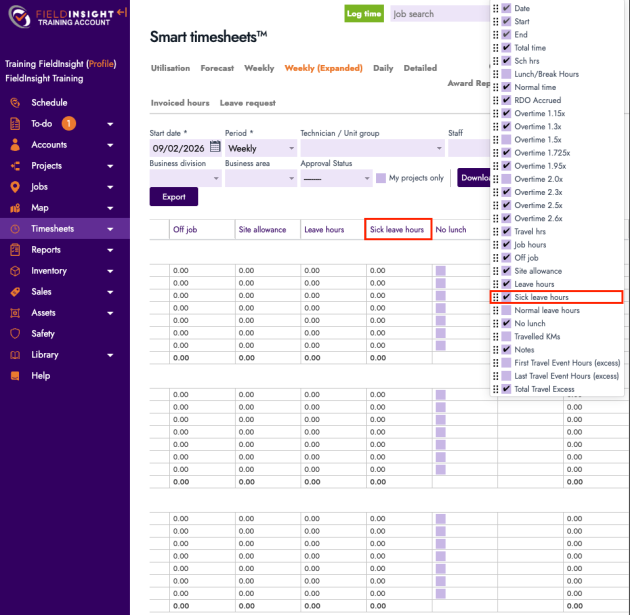
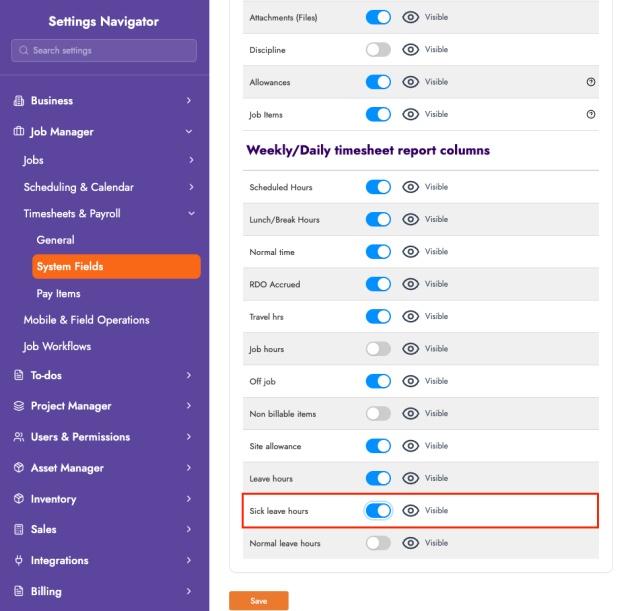
You can now track Sick Leave separately in the weekly timesheet view with two new calculated totals:
- Sick Leave Hours: total hours where the activity type is set to Sick Leave
- Normal Hours: total hours for all other activity types (excluding Sick Leave)
Why it helps
Makes leave reporting clearer at a glance—so teams can quickly distinguish standard hours vs sick leave without manual calculations.
Mobile — Configure Default Defect Filter
What’s new
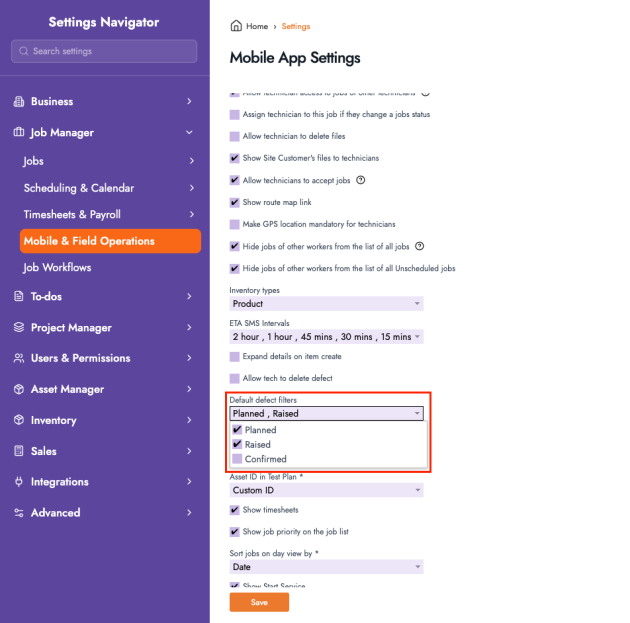
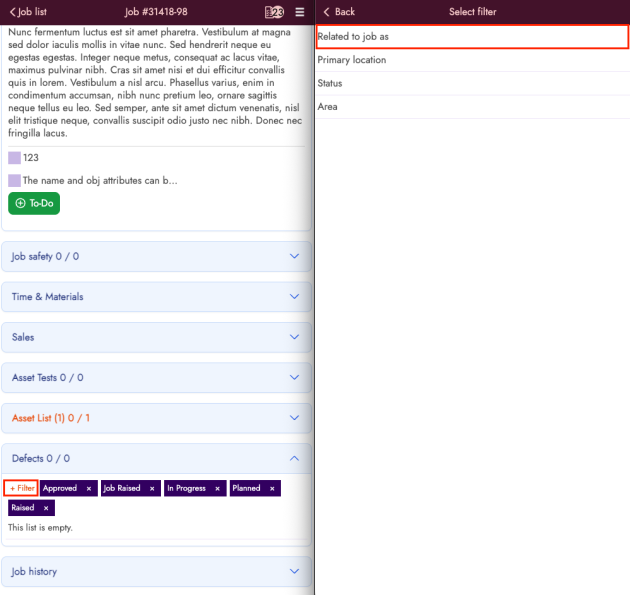
You can now set a default filter for Job > Defects in the mobile/driver app (e.g. Planned, Raised, Confirmed).
Why it helps
Saves time for field users by opening the defect list in the most relevant view by default—reducing taps and missed items.
Asset Tests — Runtime Field Added to Test Template Reports
What’s new
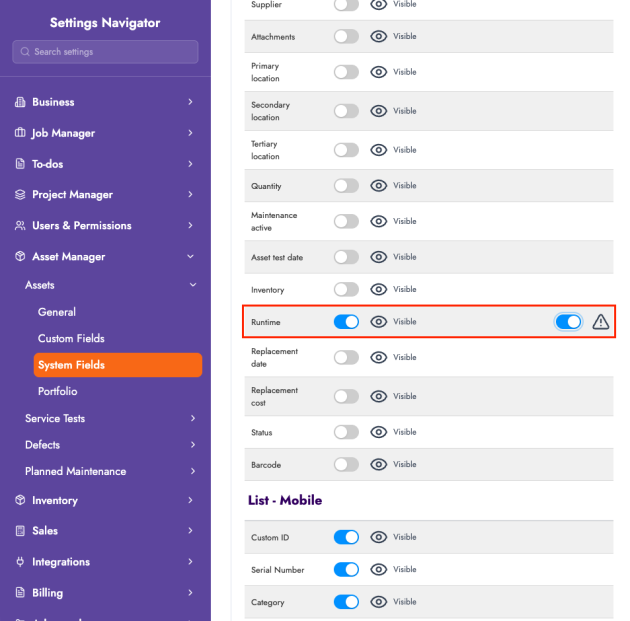
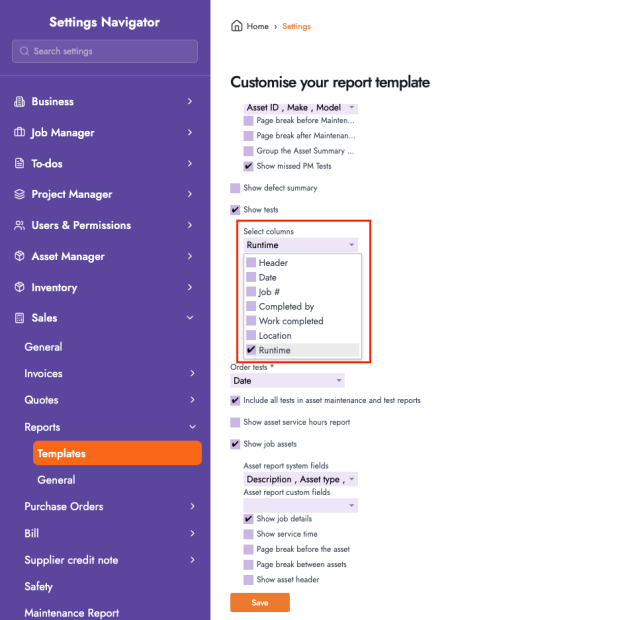
Test Template Reports now support a Runtime field:
- New Runtime column available in reports
- Runtime can be included via Selected Columns
Why it helps
Improves reporting detail for asset servicing and testing—especially where runtime is required for compliance, maintenance history, or operational insights.
Customers — New “Purchase Order Number Required” Field
What’s new
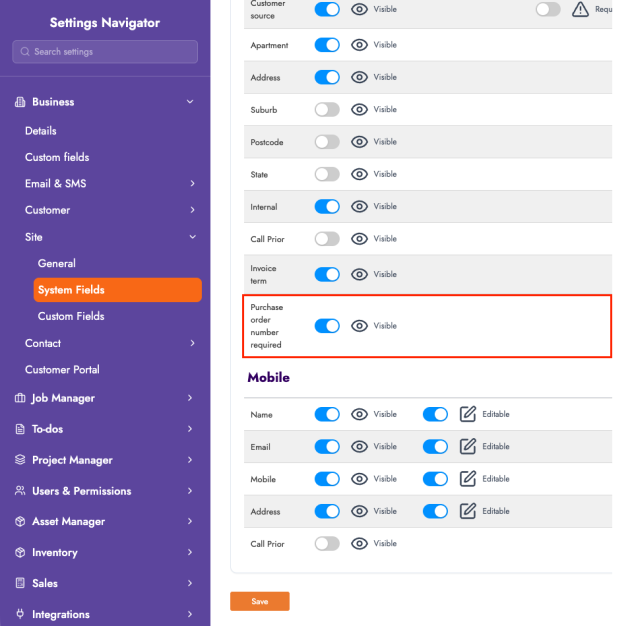
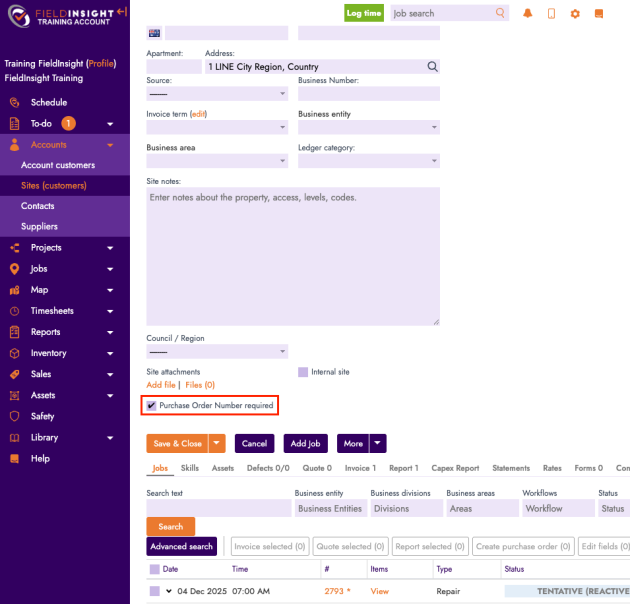
A new customer-level setting, Purchase Order Number Required, can now be enabled. When turned on, jobs for that customer will require a PO Number before they can be saved.
Why it helps
Helps enforce customer compliance and reduces billing delays—ensuring PO details are captured up front rather than chased later.
Reports — Job Revenue (Pivot-Style Summary)
What’s new
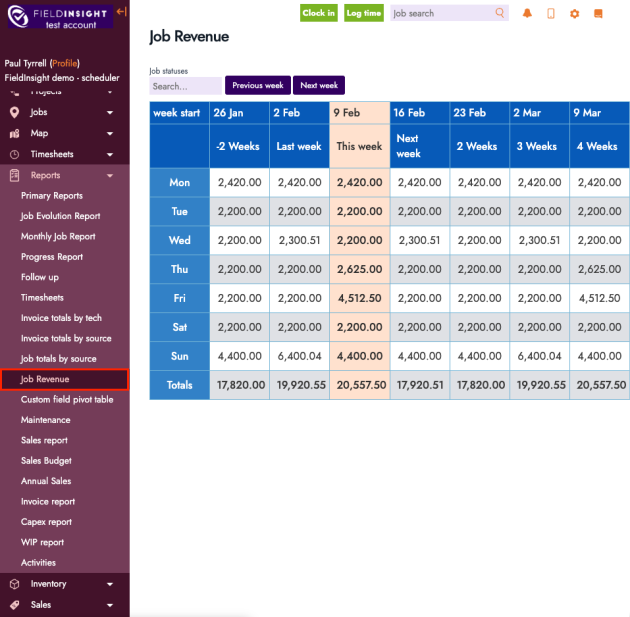
A new Job Revenue Report is now available with a pivot-style summary of revenue, including:
- Weekly totals with navigation between weeks
- Filtering by Job Status
- Clear summary view to review revenue trends at a glance
Why it helps
Gives managers a faster way to track job revenue over time and spot changes week-to-week—without exporting and building manual spreadsheets.
Want to learn more, please reach out to support@fieldinsight.com.
What You Should Do Now
- Book a Demo. You’ll be in touch with an automation expert who has worked in this space for over 5 years, and knows the optimal workflow to address your needs.
- If you’d like access to free articles about managing HVAC workflows, go to our blog.
- If you know someone who’d enjoy reading this page, share it with them via email, Linkedin, Twitter, or Facebook.
