






FieldInsight Feature Release — Week 5/6 2026

Projects — Retention & Retention Release on Claims
What’s new
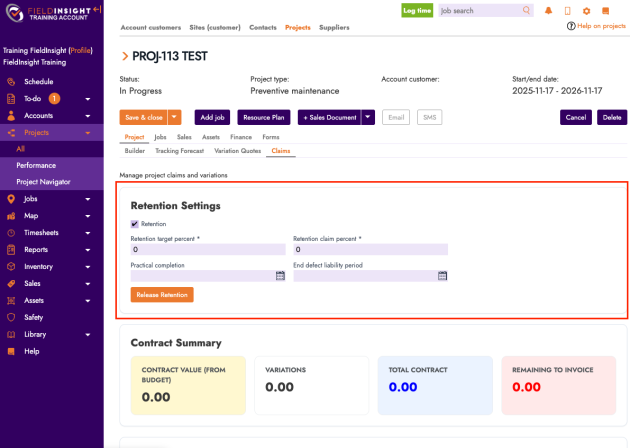
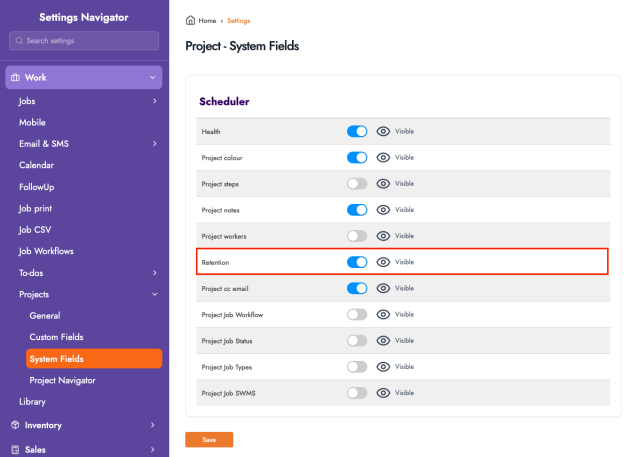
You can now manage Retention directly on a project’s Claims workflow.
- Enable Retention on the claim and capture retention details (including Retention Claim %).
- Generate a Retention Release invoice via a dedicated action—this creates an invoice line item (e.g. Release Retention) with a value based on the released amount.
- The generated release invoice appears at the end of the claim list for clear tracking.
Why it helps
Supports retention-style progress billing so you can withhold retention on claim invoices and release it cleanly when required—without manual invoice calculations or messy workarounds.
Want to learn more, please reach out to success@fieldinsight.com.
Quotes — Quick Quote Now Pulls Job Context
What’s new
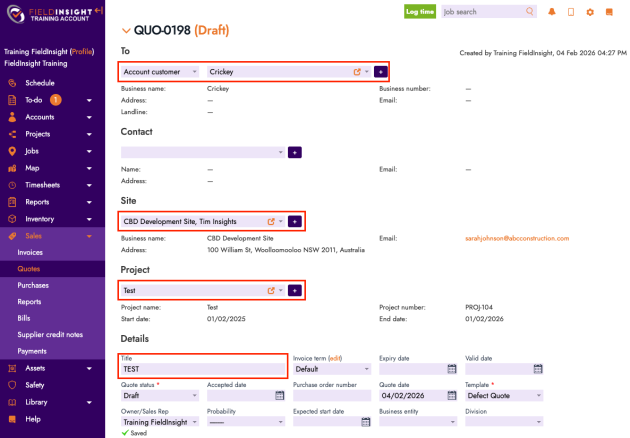
Quick Quotes generated from a Job / Job Visit now automatically inherit key context:
- Project is set from the Job Visit’s project
- Site is set from the Job Visit’s site
- Recipient is set from the Account Customer on the Job Visit
- Title is carried through from the selected library template/title
Why it helps
Reduces admin time and prevents mis-addressed or mis-filed quotes—Quick Quotes are now created correctly the first time, aligned to the job you’re working on.
Asset Tests — “Copy” Button Added to Test Templates
What’s new
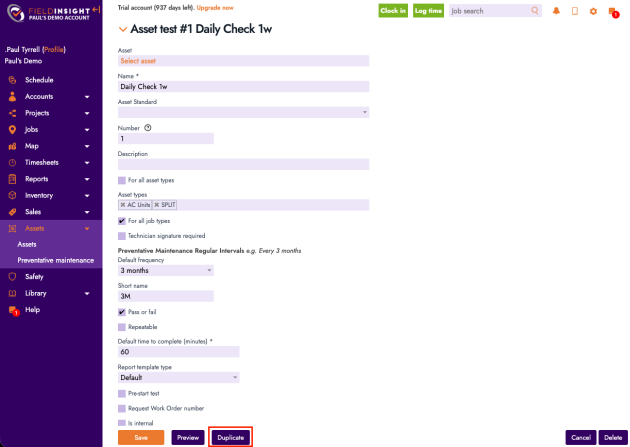
On Asset Test Templates, you can now click Duplicate to create a new template from an existing one. Any edits made to the current template are saved before the copy is created.
Why it helps
Speeds up template creation and standardisation—ideal when you need variations of an existing test template without rebuilding from scratch.
Mobile / Driver App — Add CC Recipients When Emailing Sales Documents
What’s new
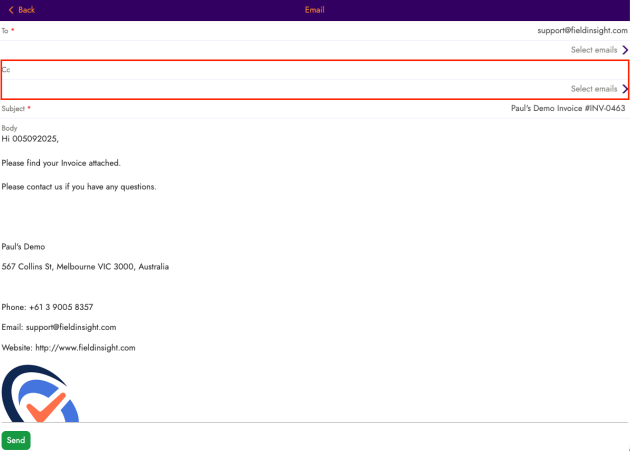
When sending Sales Documents from the mobile/driver app, you can now add CC email addresses (including selecting multiple recipients where applicable).
Why it helps
Makes it easier to include supervisors, accounts teams, or additional stakeholders automatically—reducing follow-ups and ensuring the right people receive documents the first time.
Settings — Restructured User & Unit Settings
What’s new
Settings have been reorganised to make user and unit administration clearer:
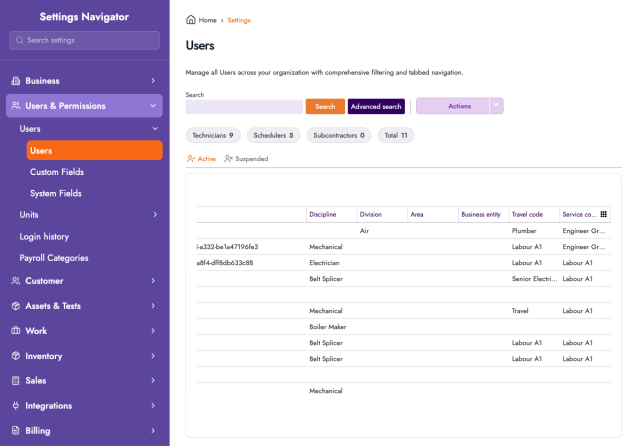
- New Users & Permissions area/tab for user-related configuration
- Users are now split into Active and Suspended
- UI updates: actions moved into a menu, and search moved into Advanced Search
- Similar improvements applied to Units, including clearer totals and expanded breakdowns (e.g. technicians)
Why it helps
Improves admin usability—faster navigation, cleaner screens, and easier management of active vs suspended users/units in growing businesses.
Elevate Your Client Communications
What’s new
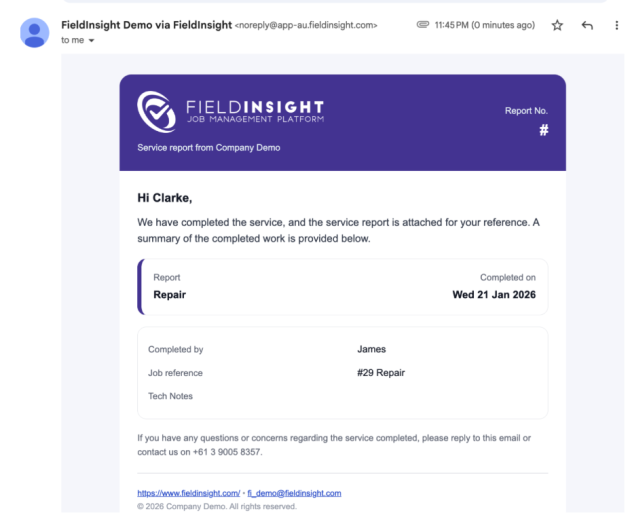
We’re excited to offer premium, professional HTML email & document templates exclusively for FieldInsight clients.
Why it helps
These modern, mobile-friendly, that can fit your brand designs include strong calls-to-action to boost engagement, trust, and faster payments.
Templates:
- Instant Emails (11 templates): Job notifications (Account/Site/Worker), Sales docs (Invoice/Quote/PO/Report/Supplier Credit), Reminders
- Triggered Emails (4 templates): Job & sales notifications
- Sales Document Templates (4 templates): PDF-style of any Quote, Invoice, PO, Report

Bundle Deal: Get the complete bundle of 20 templates applied to your account for $1,087 + tax (25% off limited-time offer), includes session to review your templates (15min), configuration in your account, session on switching to the new templates (15min)
Reach out to success@fieldinsight.com to book your slot.
What You Should Do Now
- Book a Demo. You’ll be in touch with an automation expert who has worked in this space for over 5 years, and knows the optimal workflow to address your needs.
- If you’d like access to free articles about managing HVAC workflows, go to our blog.
- If you know someone who’d enjoy reading this page, share it with them via email, Linkedin, Twitter, or Facebook.
